
Area of application: Surveying
Survey drone: Photogrammetry and LiDAR surveying with DJI Terra
A surveying drone captures areas and terrain from the air, either using photogrammetry from overlapping photos or LiDAR with laser pulses. Here you'll learn how to successfully survey with a drone: using the DJI Zenmuse L3 for LiDAR, DJI Terra for data analysis, the POIApp RTK receiver for measuring points, and POICloud for areas, projects, and integration into GIS. Our training courses will teach you the entire process.
Methods in comparison
Photogrammetry or LiDAR: which is suitable for your area?
| Feature | Photogrammetry | LiDAR |
|---|---|---|
| Measurement principle | DJI Terra calculates the model from overlapping photos. | The sensor measures the surface directly using laser pulses. |
| Vegetation | Shows the surface that the camera sees | With multiple echoes, the laser also reaches the ground through gaps in the vegetation. |
| Results | True orthophotos, surface models (DSM), point clouds, textured 3D models | Point clouds, 2D maps, 3D mesh models |
| Sensor | Camera of the DJI Enterprise drone | Zenmuse L-series LiDAR, for example DJI Zenmuse L3 |
| Evaluation | DJI Terra | DJI Terra |
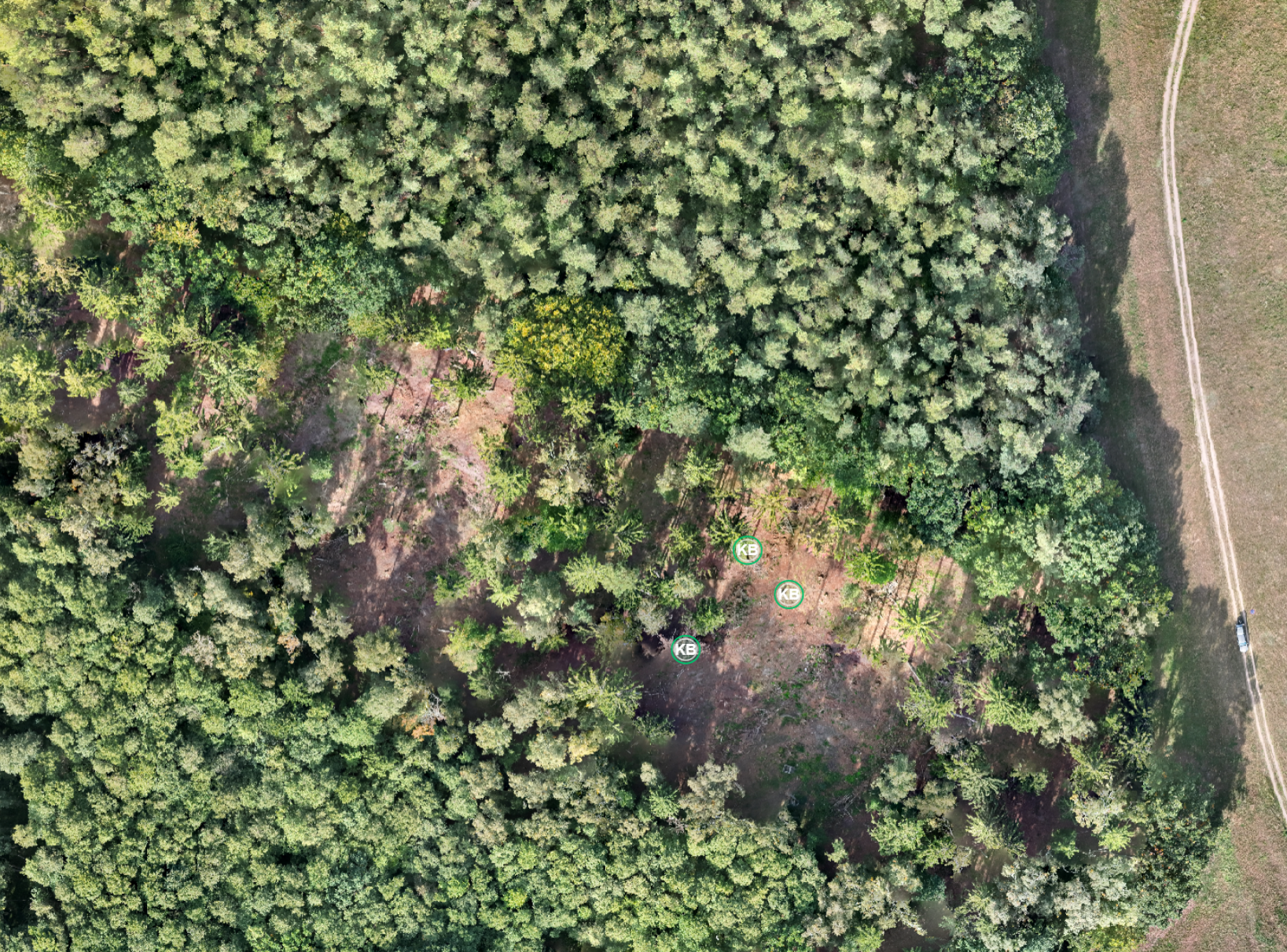
Photogrammetry
Drone photogrammetry: Orthophotos and 3D models
In photogrammetry, the drone flies over the area, taking overlapping photos. DJI Terra then uses these images to create true orthophotos, digital surface models (DSM), point clouds, and textured 3D models. The image shows a forest area from the air, as an example of surveying forest areas.
In hilly terrain, you fly using terrain following. What you need to pay attention to is explained in the article What do I need to pay attention to when flying over terrain?. The Flight Planning Tools will help you with flight altitude, ground resolution, and image overlap.
This is how a photogrammetry survey works
- Plan flight: Set flight altitude, ground resolution and image overlap, and transfer the flight plan to the remote control via DJI Pilot 2 or the POICloud.
- Lay out and measure control points: at least three, preferably four, evenly distributed over the area and each visible in at least four photos.
- Secure an RTK fix and fly over the area.
- Create a project in DJI Terra, check the aerotriangulation, and calculate 2D maps and 3D models.
- Export results, for example as GeoTIFF or OBJ, and use them further in GIS or CAD.
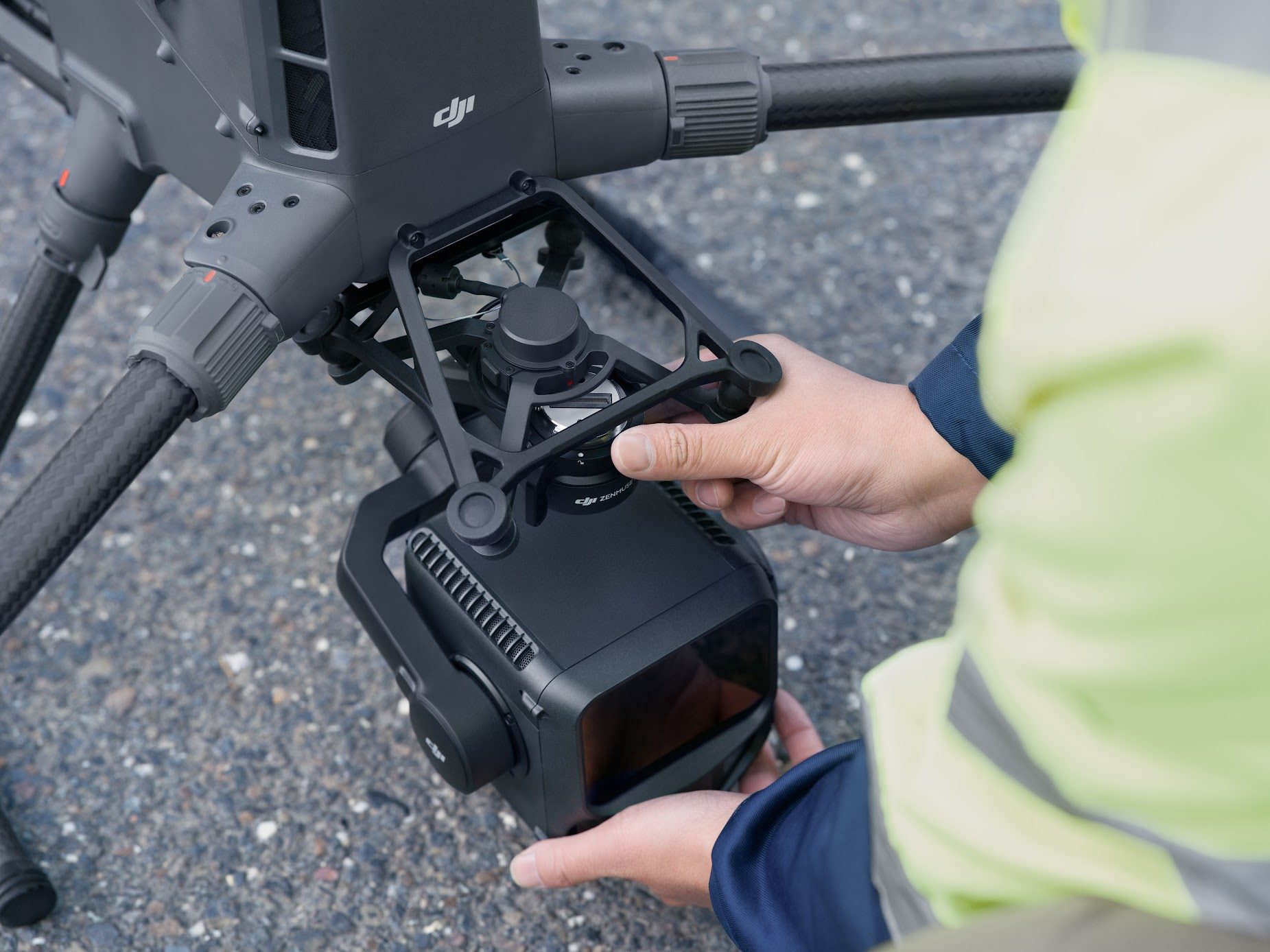
LiDAR
LiDAR drone: Surveying with the DJI Zenmuse L3
A LiDAR drone measures the surface directly with laser pulses. With multiple echoes, the sensor also reaches the ground through gaps in the vegetation. From the measurement data, DJI Terra creates point clouds, 2D maps and 3D mesh models.
The DJI Zenmuse L3 is DJI's LiDAR sensor for long-range surveying. According to DJI, it uses a 1535 nm laser that detects objects with 10 % reflectivity at up to 950 m, and has two RGB cameras with 100 megapixels each. It is used with the DJI Matrice 400 RTK. You can get the DJI Zenmuse L3 and the DJI Matrice 400 RTK from us.
On accuracy: in the lab, at 120 m flight altitude, DJI states 3 cm in height and 4 cm in position (RMSE), measured with the Matrice 400, a D-RTK 3 station and DJI Terra. In the field, the result depends on terrain, vegetation, RTK and control points.
DJI Terra: Processing for photogrammetry and LiDAR
-
Projects and aerotriangulation
Create projects, check aerotriangulation, calculate 2D maps and 3D models, and process LiDAR point clouds.
-
Results for GIS and CAD
Export as GeoTIFF, LAS/LAZ, OBJ or OSGB.
-
Coordinate and elevation reference
Adjust the coordinate system and elevation reference to match your survey data so that the results fit without offset in GIS and CAD.
-
The right computer
DJI Terra runs on Windows and requires an NVIDIA graphics card. DJI specifies a minimum of 32 GB of RAM, but recommends 64 GB and an RTX 2070 or better.
-
Buy DJI Terra
You can get the appropriate [DJI Terra license](https://shop.thermaldrones.de/products/dji-terra-standard-lizenz-fur-1-jahr-1-gerat) from us.
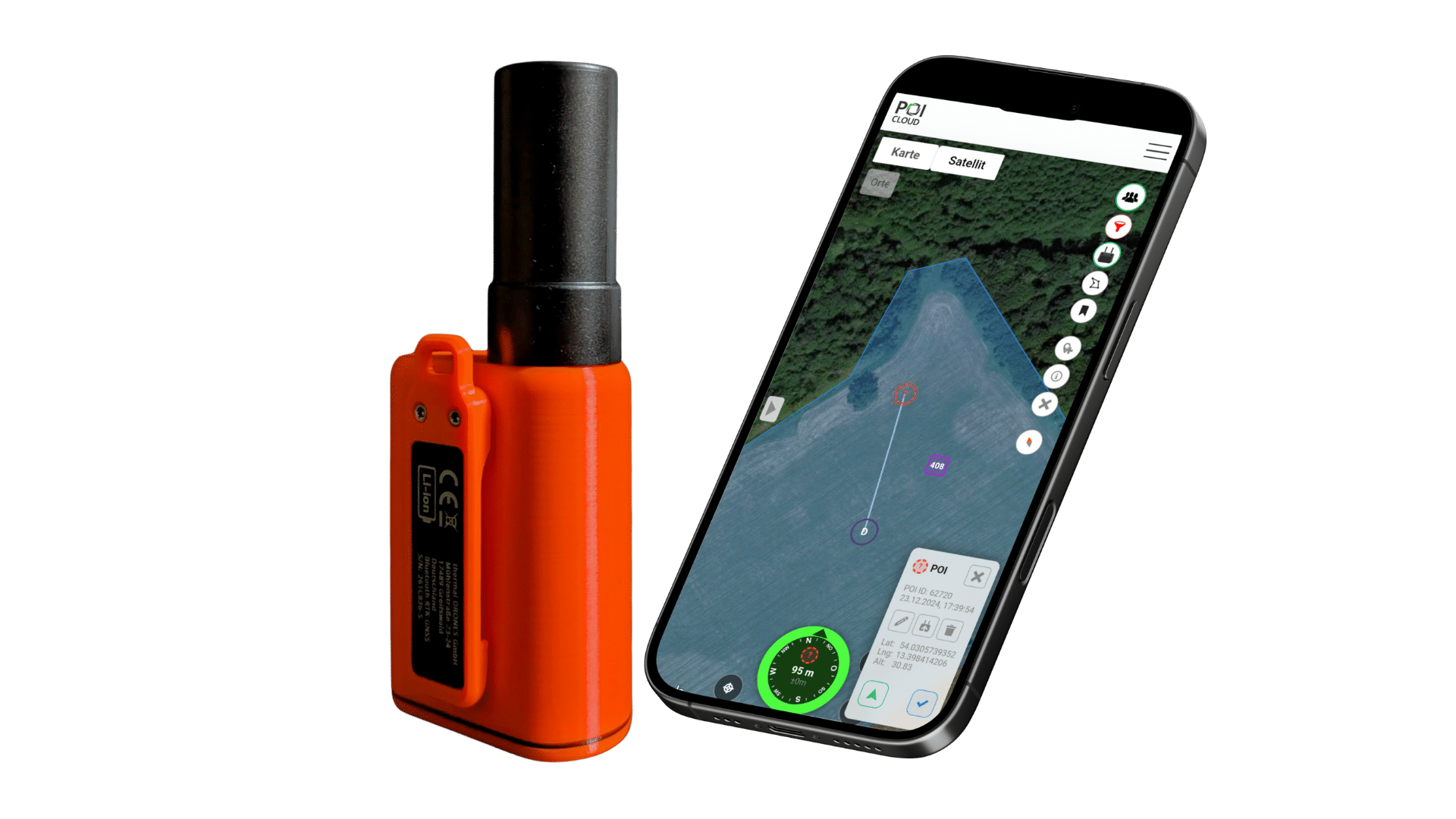
RTK on the ground
POIApp RTK receiver: Measuring control points and measurement points
The accuracy of your surveying also depends on the ground conditions: With the POIApp RTK receiver, your Android smartphone or iPhone receives a position accurate to a few centimeters via Bluetooth and NTRIP correction data, for example from SAPOS. You can use it to measure points and record GIS data in the field. The receiver is not an official or calibrated surveying instrument and outputs ellipsoidal heights in WGS84. Whether the accuracy is sufficient for your control points depends on your requirements.
Details can be found on the page POIApp RTK Receiver: Smartphone with centimeter accuracy. You can set up RTK on the drone itself using the instructions Setting up RTK positioning on DJI drones.
Training
Surveying training: Learn photogrammetry, LiDAR and DJI Terra
In our surveying training, you'll learn the entire process: from flight planning and data acquisition to the final results for GIS and CAD. You'll work with your drone, DJI Terra, and POICloud. We'll determine together whether photogrammetry or LiDAR is the better fit for your specific area, accuracy requirements, and equipment.
The training is available online, on-site, or a combination of both. You'll receive a customized quote beforehand. All formats are listed under Drone Training.
Frequently Asked Questions
Frequently asked questions about surveying with drones
What is the difference between photogrammetry and LiDAR?
In photogrammetry, DJI Terra calculates the model from overlapping photos. A LiDAR sensor like the DJI Zenmuse L3 measures the surface directly with laser pulses and, using multiple echoes, also reaches the ground through gaps in vegetation. The table above compares the two.
Which drone do I need for LiDAR surveying with the Zenmuse L3?
The Zenmuse L3 is used with the DJI Matrice 400 RTK. The overview Which drone is compatible with POICloud? shows which drones work with POICloud.
What computer does DJI Terra need?
DJI Terra runs on Windows and requires an NVIDIA graphics card. DJI specifies a minimum of 32 GB of RAM, but recommends 64 GB and an RTX 2070 or better. We'll check with you beforehand whether your hardware is sufficient.
How accurate is the surveying done with the drone?
This depends on the sensor, RTK, control points, terrain, and vegetation. The values DJI provides for the Zenmuse L3 are from laboratory tests. You will learn how to place and measure control points in the surveying training course.
Can I use the POIApp RTK receiver to measure control points?
Using RTK correction data, the receiver provides accuracy to within a few centimeters and is suitable for measuring points and GIS data collection. It is not an official or calibrated surveying instrument. You also need access to an NTRIP correction service such as SAPOS. More information can be found on the POIApp RTK Receiver page.
How do I get the results into the GIS?
DJI Terra exports, for example, GeoTIFF, LAS/LAZ, OBJ, or OSGB. You can retrieve jobs, fields, and POIs from the POICloud using the free QGIS plugin or as Shapefile, KML, GPX, and GeoJSON.
Where can I get a Zenmuse L3, DJI Terra, and a drone?
You can get the DJI Zenmuse L3 and the DJI Terra license in our shop. Complete sets with drone, software and training are listed under Buy a drone with a thermal camera: DJI complete sets. We are happy to advise you on which model suits your job.
Advice