Set up RTK Positioning on DJI Drones
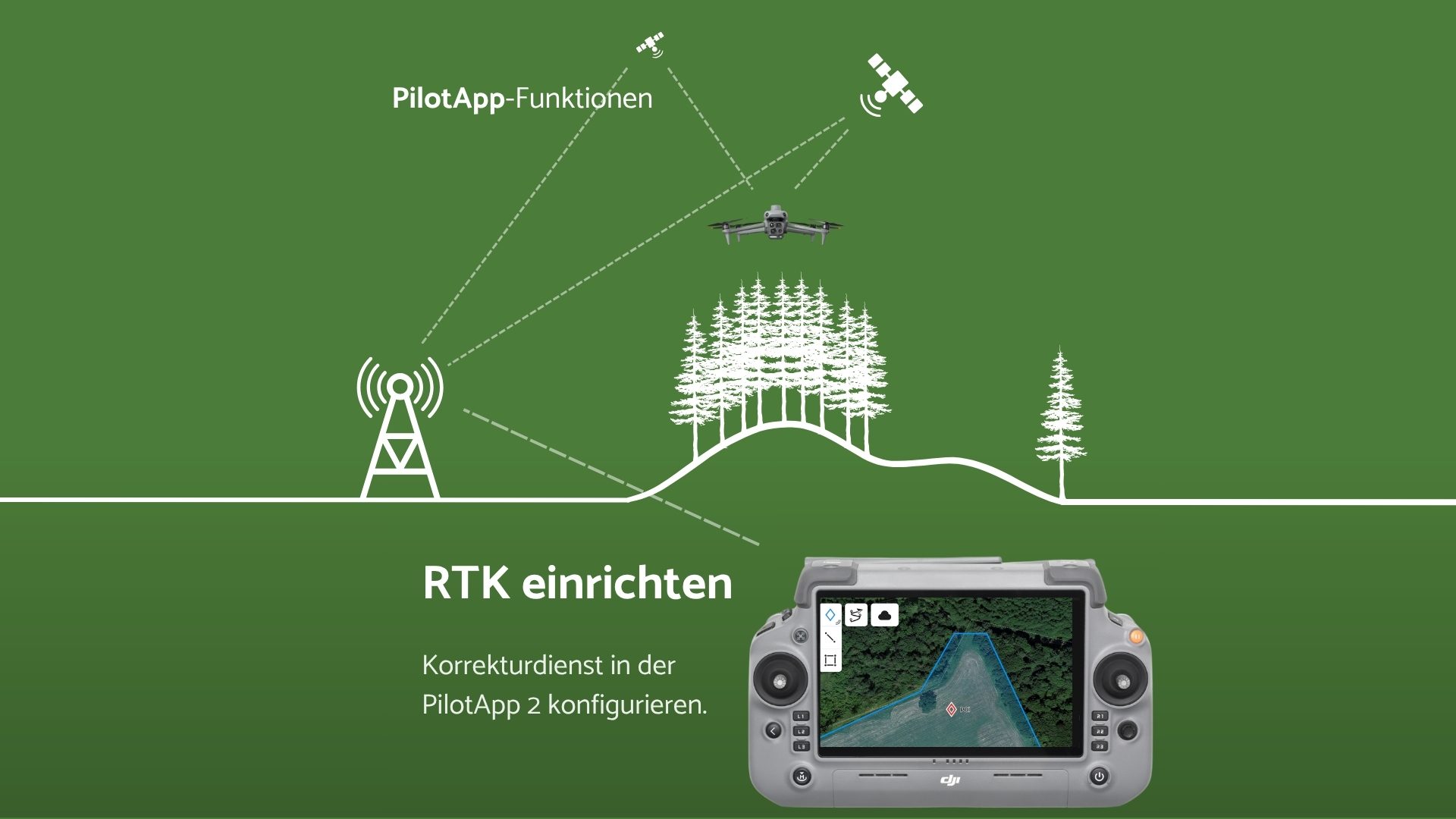
To use your drone's RTK (Real-Time Kinematic) function, registration with either the SAPOS® service (Satellite Positioning Service) of the respective federal state or with the Central SAPOS® Office is necessary in many cases. Depending on the federal state, different fees may apply for using SAPOS®.
In the table below, we have compiled an overview of all federal states, including their respective costs.
Overview of SAPOS® Services in the Federal States
| Federal State | Fees | Registration Link |
| Baden-Württemberg | One-time €150 per access ID | Apply online |
| Bavaria | €20/year per user account | Apply online |
| Berlin | Free of charge after registration | Apply online |
| Brandenburg | Free of charge after registration | Apply online |
| Bremen | Free of charge after registration | Apply online |
| Hamburg | Free of charge (no registration required) | More information |
| Hesse | Free of charge after registration | Download registration form |
| Mecklenburg-Western Pomerania | One-time €100 per end-user | Download registration form |
| Lower Saxony | Free of charge after registration | Apply online |
| North Rhine-Westphalia | Free of charge after registration | Apply online |
| Rhineland-Palatinate | €120/year per user ID + €100 one-time setup fee | Apply online |
| Saarland | Free of charge after registration | Download registration form |
| Saxony | Free of charge after registration | Apply online |
| Saxony-Anhalt | Free of charge (no registration required) | More information |
| Schleswig-Holstein | Free of charge (no registration required) | More information |
| Thuringia | Free of charge (no registration required but recommended) | More information |
| Central SAPOS® Office (Nationwide) | €10/month per user ID + €100 one-time setup fee | More information |
Central SAPOS® Office
In addition to the option of using SAPOS® services via the respective federal states, the Central SAPOS® Office offers central access for users who operate nationwide or across federal states. A one-time registration grants you access to SAPOS® services in all federal states.
A one-time administrative fee of €100 is charged for registration. The monthly fees are €10 per registered user ID. One user ID can be used by multiple devices, but not simultaneously.
This central solution is particularly suitable if you operate in multiple federal states and prefer uniform billing and central support.
More information on registration with the Central SAPOS® Office
Enter Access Data in the DJI Pilot App
In the camera view of PilotApp2, switch to the settings menu (three-dot icon) in the top right, then click on the satellite icon in the right bar. Afterwards, under RTK Service Type, select the "Custom Network RTK" option and enter the following configuration.
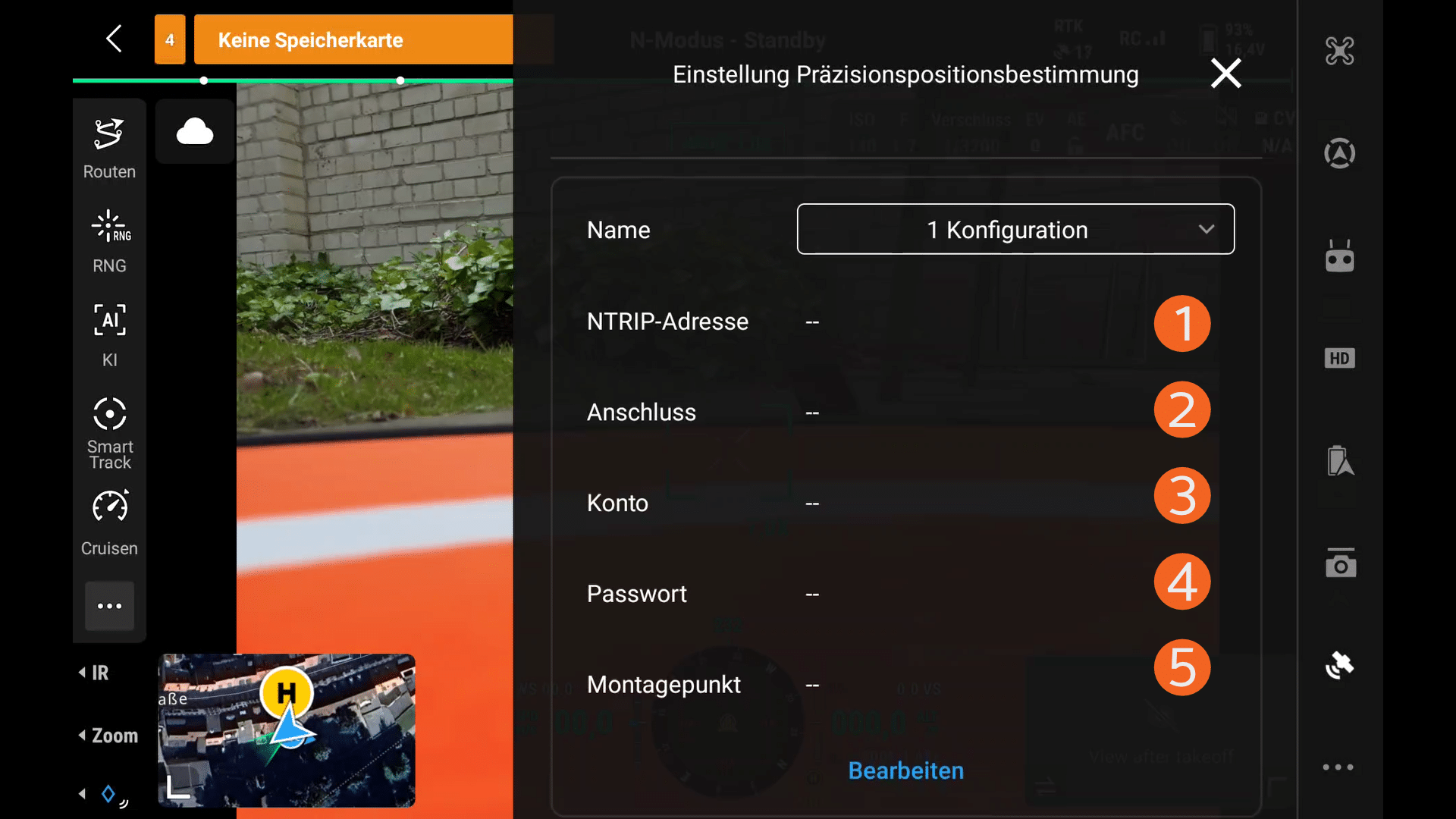
- NTRIP Address:
The server URL or IP address.
We always recommend entering the server URL. This way, you won't need to make any adjustments if the IP address changes.
Example: sapos.geonord-od.de - Port:
The port number for connecting to the NTRIP server.
This is usually 2101, but may vary depending on the provider. - Account:
The username for access. - Password:
The password for access. - Mountpoint:
The mountpoint, which is the specific access point on the NTRIP server from which correction data is retrieved.
We recommend choosing the mountpoint that includes "4G" in its name. In this case, 4G stands for the combination of the four satellite systems: GPS, GLONASS, Galileo, and BeiDou.
Example: RTCM4G
You will receive the access data either after registration or on the websites of the respective SAPOS® services of the federal states.