
DJI Enterprise · Dock series
Drone in a Box: DJI Dock 3 and Dock 4 for public safety and businesses
A dock keeps a thermal imaging drone ready and launches it on command, without anyone having to be on site. DJI offers two systems: the Dock 3 with the Matrice 4TD and the new Dock 4 with the Matrice 5TD. Here you can see how they differ and when a dock is worth it.
The systems
DJI Dock 3 and DJI Dock 4 at a glance
-
Proven platform
DJI Dock 3 with Matrice 4TD
The Matrice 4TD flies from the Dock 3 and can also be flown by hand with the DJI RC Plus 2 Enterprise. One drone for both modes, with a thermal image of 640 × 512 pixels and up to 54 minutes of flight time.
Dock 3 in the shop -
New since October 2026
DJI Dock 4 with Matrice 5TD
DJI's first dock that swaps the drone's battery by itself, in under 25 seconds. The Matrice 5TD has a thermal image of 1280 × 1024 pixels and up to 59 minutes of flight time and is not normally flown by remote controller.
DJI Matrice 5 Series
Comparison
DJI Dock 3 or Dock 4: the differences
| Feature | Dock 3 | Dock 4 |
|---|---|---|
| Drone | Matrice 4TD | Matrice 5TD |
| Battery in the dock | Charging from 15 to 95 % in 27 min | Swap in under 25 s |
| Flying by hand | yes, with RC Plus 2 Enterprise | normally no, only emergency mode (announced) |
| Native thermal image | 640 × 512 | 1280 × 1024 |
| Drone flight time | up to 54 min | up to 59 min |
| Laser rangefinder | up to 1.8 km | up to 3 km |
Dock 4
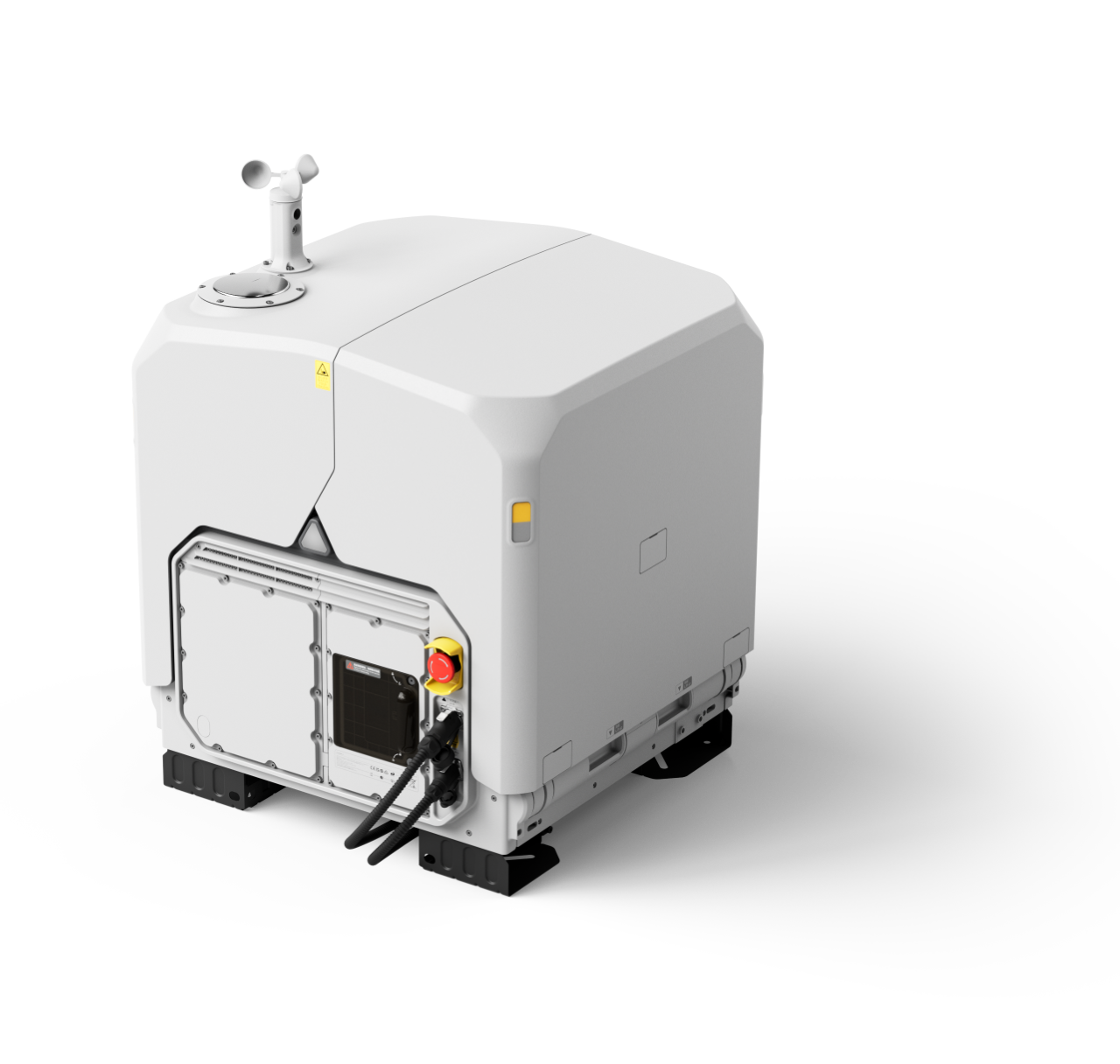
DJI Dock 4: technical data
| Feature | Value |
|---|---|
| Weight | 66 kg (without batteries and without the drone) |
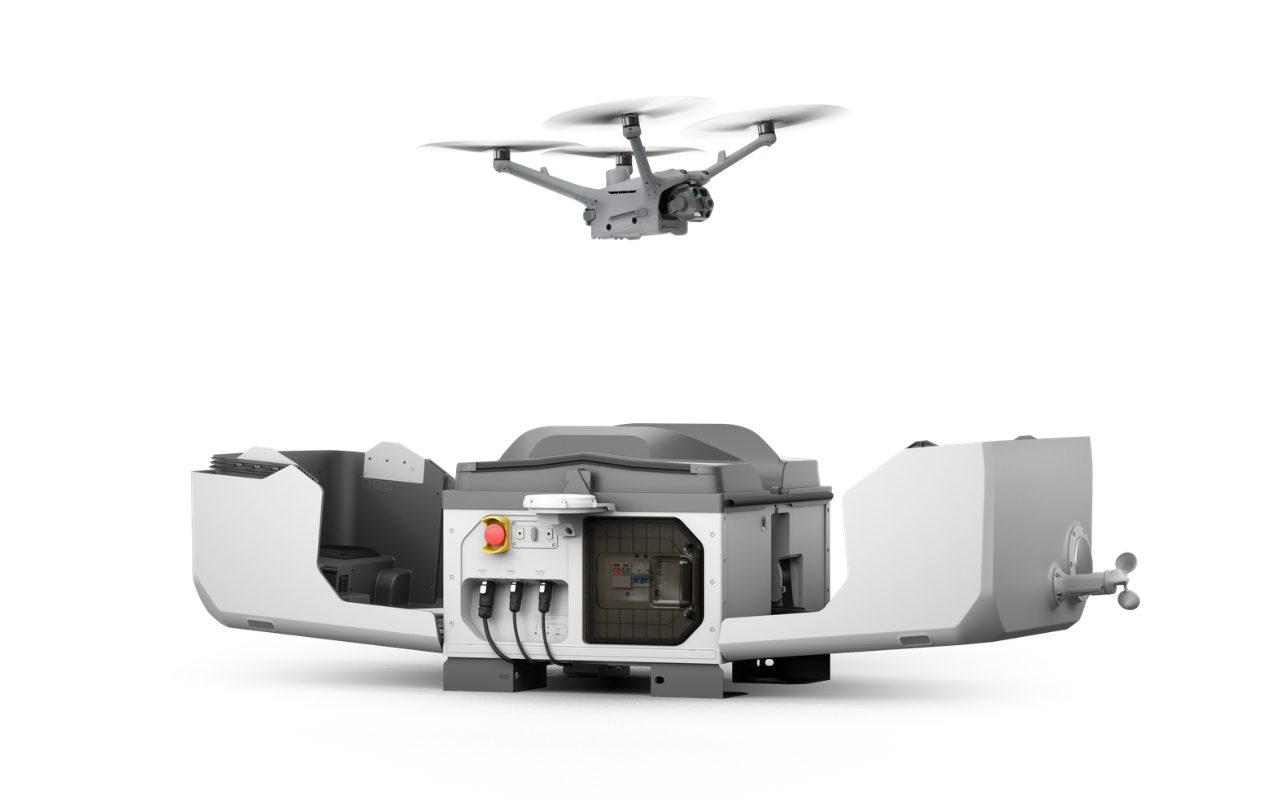
| Dimensions | lid open 1,750 × 640 × 550 mm, closed 639 × 640 × 836 mm (with wind sensor and brackets) |
| Protection class / temperature | IP56 / −40 to 50 °C |
| Operating altitude / landing wind | up to 5,000 m / up to 12 m/s |
| Power supply | 100–240 V AC, max. 2,000 W, compressor-based climate control |
| Battery swap / turnaround | under 25 s / under 45 s from landing to take-off (lab) |
| Batteries in the dock | 4 bays holding up to 3 batteries, 2 parallel charging channels |
| Charging | 27 min per battery (15 to 95 % at 25 °C), battery swap and wireless charging |
| Backup power | drone battery in the dock, about 4.5 h per battery, up to 3 batteries in sequence |
| Sensors | wind, rain, outdoor temperature, indoor temperature, indoor humidity |
| Security cameras | inside and outside, 1920 × 1080, 151°, white fill light |
| Lightning protection | power supply 20 kA, Ethernet 10 kA |
| Network and RTK | via the DJI O4 Ground Station: Ethernet, 4G with DJI Mobile Dongle 2, RTK base station |
| Drones per dock | 1 |
| O4 Ground Station | 170 × 170 × 352 mm, 2.68 kg, IP67, −40 to 55 °C, PoE, RTK accuracy horizontal 1 cm + 1 ppm, vertical 3 cm + 1 ppm |
Functions of the Dock 4
-
Ready around the clock
The Dock 4 is built for automatic operation around the clock, including urgent missions. The drone takes off automatically as soon as the cover opens and transmits the live image immediately.
-
Battery swap instead of charging
The dock swaps the drone's battery itself and downloads the data from the last flight. Up to three batteries wait ready and charge wirelessly.
-
Control and software
The dock is operated via DJI FlightHub 2 with an AI-assisted workflow and the DJI Enterprise app. The DJI Cloud API connects it to your own systems.
-
Accessories for the drone
The Matrice 5TD can be fitted with the AL2D spotlight (up to 48 W) and the AS2D speaker (up to 120.5 dB, 400 m range). With the spotlight on, visual obstacle sensing is off; LiDAR and radar stay active.
Decision
When a dock is worth it
- The same place is flown again and again, such as a site, a facility or an area of operations from the station.
- Missions are triggered by alarms or orders, without a pilot on site.
- The dock can be set up permanently and its operation approved.
- You need thermal imaging at night and a fast response.
Mobile
When you are better off flying without a dock
If the location changes daily, such as fawn rescue on changing meadows, a dock lacks flexibility. A portable thermal imaging drone is the better choice there, for example the DJI Matrice 4T or 4TD. The Matrice 4TD combines both: it flies from the Dock 3 and by hand.
Applications
What docks are used for
-
Fire service and rescue
Situation picture, missing person search and forest fire reconnaissance from the station, with the live image to incident command.
Drones for fire departments and rescue services -
Breeding bird and species protection
Recurring monitoring flights over fixed areas, when nature conservation requirements and dock location fit together.
Bird and species conservation using drones -
Photovoltaics and inspection
Regular flights over large solar parks with a fixed dock location, every finding with coordinates.
Software
Dock and POICloud
The Dock 4 does not only work with DJI FlightHub 2, it can also be connected to cloud platforms from other providers. The integration into the POICloud builds on this and is already prepared. What the Dock 4 brings is described in the article The new DJI Dock 4. The drone is presented on the page DJI Matrice 5 Series.
Permit
Installation and legal framework
A dock has to be set up and its operation approved. What applies to you depends on location, operator and the responsible authority. Basics on no-fly zones and operator duties are under Drone law. What suits your project we are happy to clarify in a consultation.
Frequently asked questions
Frequently asked questions about Drone in a Box and DJI Dock
What is a drone in a box?
A dock is a weatherproof station in which a drone waits, takes off, lands and is charged or given a fresh battery. An order from the cloud is enough, nobody has to be on site.
Which drone flies with which dock?
The DJI Matrice 4TD flies from the DJI Dock 3. The DJI Dock 4 is compatible only with the DJI Matrice 5TD.
Dock 3 or Dock 4: which is better?
That depends on the mission. The Dock 4 offers the better thermal image and the fast battery swap but is tied to dock operation. The Dock 3 with the Matrice 4TD is the more flexible and cheaper platform because the drone also flies by hand.
Does the Dock 4 need a remote controller?
No. The Dock 4 is controlled from the cloud. A limited emergency mode with the DJI RC Plus 2 has been announced.
How quickly is the drone ready to fly again?
The battery swap takes under 25 seconds, and under 45 seconds pass from landing to the next take-off (DJI lab measurement).
What happens in a power outage?
The dock uses the drone's battery as backup power, about 4.5 hours per battery. Charging, climate control and the wind sensor heating then stop, so power should be restored quickly.
How much does a dock cost?
That depends on the system and the equipment. The Dock 4 is available as a combo with drone, ground station, parachute and batteries. We will make you an individual offer.
Advice