
Fawn Rescue Without Radio Briefing: The Drone's Live Image on Helpers' Phones
Helpers see the drone's video image in real time on their smartphones. That replaces the slow radio briefing, makes even small animals visible and shows when one runs off.
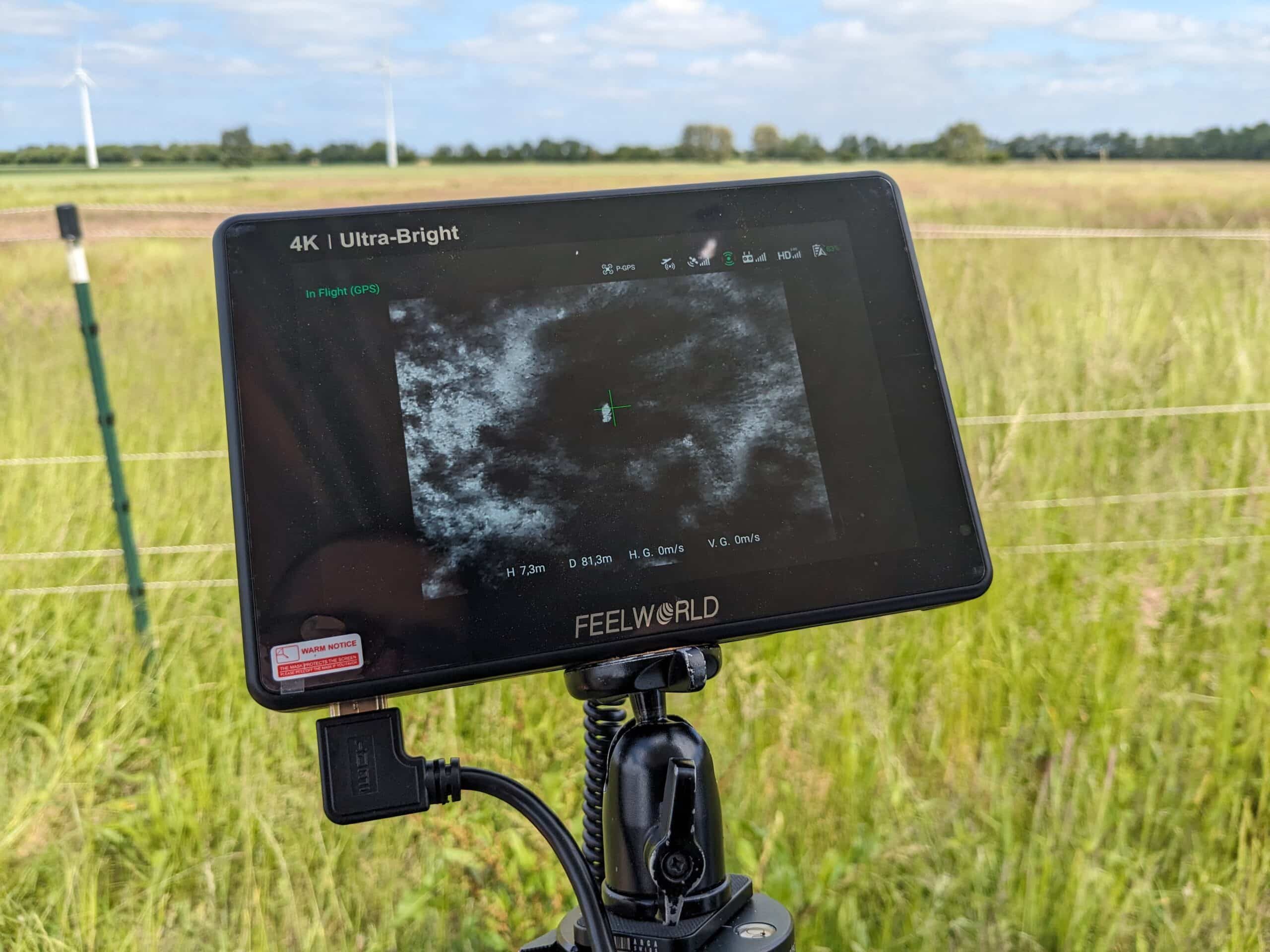
Fawn rescue without radio briefing means: helpers see the drone's video image in real time on their own smartphones. They no longer have to be guided to the fawn step by step by radio but see the heat signature themselves. That helps above all with small animals such as leverets and chicks, and with animals that bolt when someone comes closer. The whole operation from field to report is described in Organizing Fawn Rescue with POICloud.
The problem
Why radio briefing drags
In conventional fawn searching, the drone hovers over the find and the pilot guides the helper there by radio. The pilot sees the meadow from above, the helper stands down in the grass. Every instruction such as “three more metres to the left” first has to be translated into the helper's line of sight. New helpers also have to learn the radio and the procedure.
That takes time, and the drone waits over the spot meanwhile. On top of that, a fawn in tall grass is easy to overlook even when you are standing in exactly the right place. Small animals are harder still to see, and if an animal bolts, the helper only notices when the pilot calls it out.
In the meadow
Radio briefing and live image compared
| Comparison | Radio briefing | Live image on the smartphone |
|---|---|---|
| Way to the animal | The pilot describes it, the helper translates it | The helper sees where the animal lies |
| Small animals | The helper has to trust the description | The heat signature is visible on the display |
| An animal bolts | The pilot has to call it out | Everyone sees it in the image |
| New helpers | Radio and procedure have to be learned | A smartphone with the POIApp or a guest link is enough |
| The drone waits | Until the briefing has worked | Until the helper sees the animal in the image |
| You need | Radios and radio discipline | Internet at the remote controller and the smartphone |
How it works
From the find to the animal in four steps
-
1
The pilot holds over the find
They spot a heat signature in the thermal image and hold the drone above it.
-
2
Helpers look at their smartphones
They open the live image in the POIApp and see the drone on the map.
-
3
Helpers walk to the drone
On the display they see the animal's heat signature before they can make it out in the grass.
-
4
The animal is reached
If you come into the image yourselves, you see how close you already are and put your foot down next to the animal, not on it.
Small and fleeing animals
Leverets, chicks and animals on the run
Leverets, chicks and clutches are small and well hidden. Fawns and leverets, too, press themselves into the grass in their first days instead of fleeing. With the live image you see the heat signature on the display before you take a step, so you know where the animal lies and don't step on it.
If an animal does bolt, a hare for example, it stays in the image. Everyone sees the movement, the pilot can follow the heat signature, and nobody has to call out where it is running. How small an animal appears in the thermal image depends on flight height and camera. The right values are in the article Flight parameters for fawn rescue.
More benefits for the team
-
The pilot can search
They no longer have to guide helpers metre by metre and can concentrate on searching the meadow.
-
The drone waits less
The sooner the helper sees the animal in the image, the shorter the drone hovers over the find. That saves battery and time for the next meadow.
-
New helpers get started quickly
A smartphone with the POIApp or a guest link is enough. You don't have to hand out, charge and explain radios.
-
Everyone knows what's going on
Helpers see where the drone is and what it is showing, and don't have to ask.
-
Others can watch along
Dispatch, farmer or hunting district management see the same image once you release it, including via a link without signing in.
Requirement
The live image needs internet at the remote controller and at the helpers' smartphones. Helpers use the free POIApp or a guest link with the live stream enabled.
Frequently asked questions
Frequently asked questions about the live image for helpers
Do helpers still need radios?
Not for guiding them to the find, because the helpers see the live image themselves. Where there is no mobile signal, there is no live image. Then guidance by radio remains.
Can you also find leverets and chicks in the live image?
Yes, as a heat signature. Flight height and thermal camera are what count: the smaller the animal, the more important a suitable height is. The values are in the flight parameters for fawn rescue.
How fast is the image on the smartphone?
With a good connection the delay is very low; with a weak signal it rises. On the iPhone it can be up to two seconds in “Pilot” mode, where “POICloud Operator” mode is better. More on the page Drone live streaming.
Does the live image replace the coordinate on the map?
No, the two complement each other. The POIApp map leads to the spot, the live image shows what is lying there. How a find gets its coordinate is explained in the article Georeferencing: Finding Fawns by Smartphone.
Read on
Set up, find, secure
How to set up the live image and which drones support it is covered on the page Drone live streaming. Anyone who joins the search as a guest gets a guest link. What comes after the find is explained in the article Found Is Not Yet Rescued. Every step is described in the POICloud documentation.
Demo